
Respona
Respona ist die All-in-One SEO- und PR-Outreach-Plattform für Linkbuilding, Digital PR und Podcast-Outreach mit integrierter KI-Personalisierung.
Was ist Respona?
Respona ist eine All-in-One-Outreach-Plattform für SEO- und PR-Teams, die Linkbuilding, Digital PR und Podcast-Outreach in einem einzigen Workflow vereint. Die Software kombiniert integrierten E-Mail-Finder, E-Mail-Verifier, Outreach-Sequenzen und KI-gestützte Personalisierung, sodass externe Tools entfallen. Kampagnen werden über einen visuellen Sequenz-Editor aufgebaut: Nutzer definieren Suchkriterien, Respona findet automatisch relevante Kontakte und reichert sie mit verifizierten E-Mail-Adressen an. Die KI-Personalisierung (seit 2024 deutlich ausgebaut) erstellt individuelle Ersteinstiegs-Sätze pro Kontakt auf Basis von Artikelinhalten oder Podcast-Episoden, was Antwortraten spaerbar verbessert. Pitch-Templates mit dynamischen Variablen, automatische Follow-Ups und Mailbox-Rotation sorgen für skalierbares Outreach ohne Spam-Risiko. Integriertes Backlink-Tracking zeigt, welche gewonnenen Links live sind und wie sie performen. Respona verbindet sich mit Ahrefs, Moz und Semrush für SEO-Metriken sowie mit Google Workspace, Microsoft 365 und IMAP/SMTP für den E-Mail-Versand. Über 1.500 Kunden nutzen die Plattform, darunter bekannte Marken wie Shopify und HubSpot. Der Funktionsumfang richtet sich an SEO-Agenturen, PR-Teams und erfahrene Solopreneure, die einen reproduzierbaren Outreach-Prozess benötigen. Ein 14-tägiger kostenloser Testlauf ohne Kreditkarte ist verfügbar. Das Hosting erfolgt auf AWS in den USA; DACH-Server sind nicht vorhanden.
Quick Info
Tags
Für wen ist Respona geeignet?
Respona ist geeignet für:
Was sind Vorteile und Nachteile von Respona?
Hier sind die wichtigsten Vor- und Nachteile von Respona im Überblick:
Vorteile
Nachteile
Respona-Preise und Kosten
Die aktuellen Preispläne und Kosten von Respona sind:
Starter
Für Solopreneure und kleine Teams: 1.000 E-Mail-Credits pro Monat, grundlegende Outreach-Sequenzen und Prospect Research.
- 1.000 E-Mail-Credits pro Monat
- Integrierter E-Mail-Finder und E-Mail-Verifier
- Outreach-Sequenzen mit Pitch-Templates
- Auto-Follow-Ups
- Backlink-Tracking
- Ahrefs-, Moz- und Semrush-Integration
- Google- und Microsoft-Mailbox-Anbindung
- 14-tägiger kostenloser Test
Pro
BeliebtFür wachsende Agenturen: 3.500 E-Mail-Credits pro Monat, KI-Personalisierung, Mailbox-Rotation und erweitertes Reporting.
- 3.500 E-Mail-Credits pro Monat
- Alles aus Starter
- KI-Personalisierung (AI Personalization 2024+)
- Mailbox-Rotation
- Performance-Tracking und erweitertes Reporting
- Podcast-Outreach-Workflows
- HubSpot-Integration (CRM)
Unlimited
Für große Agenturen und Enterprises: unbegrenzte E-Mail-Credits, REST API und dedizierter Support.
- Unbegrenzte E-Mail-Credits
- Alles aus Pro
- REST API-Zugang
- Dedizierter Account Manager
- Unbegrenzte Kampagnen und Kontakte
Respona Videos
Folgende Videos helfen dir beim schnellen Einstieg in Respona:
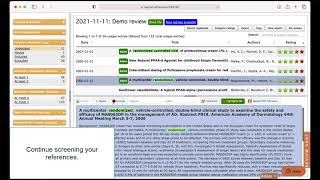
How to do a Systematic Review | Rayyan Systematic Review Tutorial
This tutorial walks through the basics of how to do a systematic review of related literature using Rayyan meta-analysis software to accelerate your literature reviews. Learn more or get started in minutes at https://www.rayyan.ai. Table of Contents: 00:13 - Browser Compatability 00:34 - Expanation of Review Tabs 01:03 - Creating a New Review 01:11 - Uploading References 01:55 - Rayyan Facets 02:08 - Deleting and Adding References 02:23 - Auto Deduplication 02:33 - Near Duplicate Detection 02:43 - Possible Duplicate Resolution 03:54 - Inviting Collaborators 04:28 - Blinding (On) 04:44 - Screening (Include, Exclude and Maybe) 05:01 - Labels 05:06 - Exclusion Reasons 05:33 - Filters 05:48 - Multi-Select 06:07 - Tracking Progress 06:17 - Compute Ratings (AI-powered) 07:04 - Training the AI 07:18 - Chat with Collaborators 07:33 - Collaborator's View 07:58 - Tracking Collaborative Review Progress 08:15 - Min/Max Decisions Facet 09:07 - Blinding (Off) 09:22 - Resolving Decision Conflicts 10:18 - Full Text Reviews 10:50 - Copying References to Other Reviews 11:39 - Uploading Fulltexts 12:22 - Exporting References 13:33 - AI-Powered Chat Bot 13:53 - Rayyan Help Center Have you tried Rayyan for your Systematic and Literature Reviews yet? Website: https://rayyan.ai/ Sign-up: https://rayyan.ai/users/sign_up Rayyan App: https://ryn.ai/m #systematicreview #literaturereview #articlereviewtool #dataextractiontool #systematicreviewsoftware #narrativereview #mappingreview
![TwoNotes Torpedo - WALL OF SOUND [Review/Demo/deutsch] - SickAzzTonez](https://i.ytimg.com/vi/ZwJ3J5RQy2Y/mqdefault.jpg)
TwoNotes Torpedo - WALL OF SOUND [Review/Demo/deutsch] - SickAzzTonez
Hi Leute, heute stelle ich euch mein Go-To VST vor wenn es um Cabinet Simulation geht. Ein sehr mächtiges Tool für den Top-Studio-Sound! Kostenloser Download: https://www.two-notes.com/en/wall-of-sound Cheers! NEU!! : Ihr könnt mich jetzt auf "buymeacoffee" unterstützen. Schaut einfach mal vorbei und lasst einen Kaffee da. Mein "BOMBAST" IR-Pack könnt ihr dort auch ergattern. https://www.buymeacoffee.com/sickazztonez/ ⬇️⬇️⬇️ Lest das wenn ihr mögt ⬇️⬇️⬇️ Hey Leute, ich bin Phil. Ich bin Musiker, Songwriter und Produzent. Ich habe in diversen Bands gespielt, Hintergrundsongs für andere YouTuber geschrieben/aufgenommen und mit Tim Noak am Projekt "Lockdown Revival - Stay Home" gearbeitet. In jedem Fall: Vielen Dank fürs zuschauen und viel Spaß auf meinem Kanal! -------------------// MEINE MUSIK \\-------------------------- Lockdown Revival - Stay Home Bandcamp - http://tiny.cc/sickazztonezBC Spotify - http://tiny.cc/sickazztonezSP iTunes/AppleMusic - http://tiny.cc/sickazztonezAPL Amazon Music - http://tiny.cc/sickazztonezAMZ Google Play - http://tiny.cc/sickazztonezGP Eigenproduktionen - https://soundcloud.com/sickazztonez -------------------// FOLGT MIR \\-------------------------- YouTube - https://www.youtube.com/sickazztonez Facebook - https://www.facebook.com/SickAzzTonez Instagram - https://www.instagram.com/philagramm/?hl=de Twitter - https://twitter.com/SickAzzTonez Soundcloud - https://soundcloud.com/sickazztonez Soundgym: https://www.soundgym.co/member/profile?m=6j1xe2lwp1e Soundgym - Hall Of Fame: https://www.soundgym.co/blog/item?id=philipp-zander

How to Present a MIND-BLOWING Software Demo That Closes Sales
You’ve done your sales discovery; now it’s time for the product demonstration. In this episode of Sales Stuff Explained, we share everything you need to know about how to prepare for and execute the perfect sales presentation & SaaS demo. We'll discuss the importance of creating a slide deck that will highlight the key features of your product, and we'll discuss how to present your software in a way that is both engaging and effective. If you're looking to close more sales and achieve success in your software sales career, then this video is for you! We'll teach you the techniques needed to create a memorable demo that will leave your customers wanting more. Watch and learn - your sales presentation will never be the same! Demos or demonstrations are often used to present the Features and capabilities of a software offering (SaaS). Most tech demos are done online via a conferencing app like Zoom. Always ask for the sale. Learn more in our full guide ➡️ https://bit.ly/3Re2DPY Key Insights: 1. 📊 To sell software effectively, conduct a discovery process, research attendees, create a recap slide, and customize the demo to generate excitement and interest. Demos should only be done after conducting a discovery process to understand the customer's needs and should focus on showing the product to generate excitement and interest. 2. 💡 Use the language that the buyer understands, including key customers and industry figures, rehearse mouse movements, and focus on presenting with the best tone and asking the right questions. 3. 👉 Before starting a software demo, eliminate distractions, engage attendees with interesting facts, and establish expertise and ownership in the first two minutes. 4. 👉 Assume your buyer is unprepared and doesn't know what they need, so start the demo with agenda-setting that confirms the time, participants, and their concerns, and use this opportunity to do more discovery. 5. 📝 Guide the conversation by demonstrating knowledge and addressing concerns to build confidence and engagement, creating a compelling story that addresses the customer's emotional pain, tying features to clear outcomes, and constantly checking in with the buyer during the software demo. Focus on creating a compelling story that addresses the emotional pain of the customer, tying features to clear outcomes, and constantly checking in with the buyer to understand what they care about during the software demo. 6. 🎯 Use excitement and boldness in your voice during a software demo to capture attention, and pause to ask questions if the audience starts drifting off. To keep your audience engaged during a software demo, pause and ask them a question to bring their attention back if they start drifting off. 7. 💡 Don't waste time on uninterested buyers; grab their attention and have a copilot during demos to increase credibility and effectiveness. 8. 💡 The key to a successful software demo is to ask about the next steps, send a recap email with new information, and keep stakeholders engaged. Featuring (in order of appearance): Belal Batrawy, Head of GTM at GTM Buddy https://www.linkedin.com/in/belbatrawy/ Will Aitken, Head Sales Evangelist at Sales Feed https://www.linkedin.com/in/justwillaitken/ Morgan Sergio, Team Lead, Mid-Market Accounts at Twilio https://www.linkedin.com/in/morgangillespie/ #productdemo #salespresentation #b2bsales 🔔 Subscribe to Sales Feed now! https://bit.ly/3O9kZO7 0:00 Intro 0:38 The Prep: Review and refresh 1:03 The Prep: Reach out to new stakeholders 1:25 The Prep: Create a recap slide 1:53 The Prep: Customize your demo 2:48 The Prep: Practice your demo 3:07 The Call: Prep your environment 3:43 The Call: Build rapport 4:32 The Call: Confirm the agenda 5:36 The Call: Do the demo 6:36 The Call: Pressure-test 6:46 The Call: Emphasize important moments 7:09 The Call: “Magic moments” 8:57 The Call: Demo with video and in pairs 9:22 The Call: Set next steps 9:53 After the Call: Send a recap email -------------------------------- ABOUT SALES FEED -------------------------------- Sales Feed is a media network for a new generation of sellers, brought to you by Vidyard. We know that B2B selling is a tough gig. It’s highly competitive, mentally exhausting, and what works today may not work tomorrow. We’re here to help with fresh perspectives, timely insights, and comic relief to help sellers stay sane and get ahead. Sign up for our newsletter to get it all direct to your inbox! http://bit.ly/3j2gR7A And if you’re not yet sending video messages to your customers, sign up for Vidyard for FREE at: https://bit.ly/3kMRa8J -------------------------------- FOLLOW US -------------------------------- ▶️ LinkedIn https://www.linkedin.com/company/sales-feed-media/ ▶️ Instagram https://www.instagram.com/sales_feed ▶️ Tiktok https://www.tiktok.com/@salesfeed ▶️ Twitter https://twitter.com/sales_feed
Welche Respona-Integrationen gibt es?
Diese Integrationen stehen für Respona zur Verfügung:
Ahrefs
SEO
SEO-Integration für Backlink-Metriken und Prospect-Qualifizierung direkt in Respona-Kampagnen.
Semrush
SEO
SEO-Integration zum Abruf von Backlink-Profilen und Keywords für gezieltes Outreach via API-Key.
Moz
SEO
SEO-Integration für Domain-Authority-Metriken bei der Prospect-Bewertung.
Google Workspace
Email connection
E-Mail-Anbindung für den Outreach-Versand und -Empfang über Google-Konten (Gmail/Workspace).
Microsoft 365
Email connection
E-Mail-Anbindung für Outreach über Microsoft-Konten (Outlook/Microsoft 365).
IMAP/SMTP
Email connection
Universelle E-Mail-Anbindung für beliebige Anbieter via IMAP/SMTP mit SSL/TLS-Verschluesselung.
HubSpot
CRM
CRM-Integration für die Synchronisation von Outreach-Kontakten und Pipeline-Daten.
Zapier
Productivity
Workflow-Integration zum Verbinden von Respona mit hunderten weiteren Apps über Zapier-Automatisierungen.
Salesforce
CRM
CRM-Integration für Enterprise-Teams zur Synchronisation von Outreach-Daten mit Salesforce.
Pipedrive
CRM
CRM-Integration für den Abgleich von Outreach-Kontakten und Deals in Pipedrive.
Slack
Productivity
Slack-Benachrichtigungen bei neuen Antworten, gewonnenen Backlinks und Kampagnen-Updates.
Respona Erfahrungen (0)
So bewerten Nutzerinnen und Nutzer Respona:
Noch keine Bewertungen
Sei der Erste, der dieses Tool bewertet!
Häufig gestellte Fragen zu Respona
Die wichtigsten Fragen und Antworten zu Respona auf einen Blick: