
Notion Q&A
Notion Q&A beantwortet Fragen per KI direkt aus dem Notion Workspace und verbundenen Apps wie Google Drive, Slack oder Jira.
Was ist Notion Q&A?
Notion Q&A ist eine KI-Suchfunktion, die direkt in den Notion All-in-One Workspace integriert ist. Statt manuell in Dokumenten zu suchen, stellen Nutzer Fragen in natürlicher Sprache und erhalten sofort KI-generierte Antworten mit Quellenlinks aus dem eigenen Workspace. Besonders stark: Über Notion Connectors durchsucht Q&A nicht nur den Notion Workspace selbst, sondern auch verbundene externe Apps wie Google Drive, Slack, Jira, GitHub und Microsoft Teams. So wird gesamtes Teamwissen an einem Ort durchsuchbar, ohne das Tool zu wechseln. Antworten werden in Deutsch und weiteren Sprachen geliefert. Q&A ist Teil von Notion AI und ab dem Plus Plan als Add-on für 10 USD pro Nutzer und Monat verfuegbar; im Business Plan ist Notion AI inklusive. Die EU Region-Option stellt sicher, dass Daten auf europaeischen Servern verarbeitet werden können. Ideal für Knowledge Worker, Teams und Unternehmen, die Notion bereits nutzen und ihr Wissen effizienter erschliessen moechten.
Quick Info
Tags
Für wen ist Notion Q&A geeignet?
Notion Q&A ist geeignet für:
Wichtigste Funktionen von Notion Q&A
Die wichtigsten Funktionen von Notion Q&A sind:
Q&A-Suche über gesamten Notion Workspace per natürlicher Sprache
KI-Antworten mit Quellenlinks zu den relevanten Seiten
Notion Connectors: Suche über Google Drive, Slack, Jira, GitHub und Microsoft Teams
Mehrsprachige Unterstützung inklusive Deutsch
Mobile App für iOS und Android
EU Region verfuegbar für DSGVO-konforme Datenhaltung
Integration direkt in Notion (kein separates Tool noetig)
Öffentliche API für Entwickler
Was sind Vorteile und Nachteile von Notion Q&A?
Hier sind die wichtigsten Vor- und Nachteile von Notion Q&A im Überblick:
Vorteile
Nachteile
Notion Q&A-Preise und Kosten
Die aktuellen Preispläne und Kosten von Notion Q&A sind:
Free
Kostenloser Einstieg in Notion ohne KI-Funktionen. Notion Q&A und AI sind nicht enthalten.
- Notion Workspace ohne KI-Funktionen
- Unbegrenzte Seiten und Bloecke für Einzelpersonen
- Notion Calendar und Notion Mail
- Datei-Uploads bis 5 MB
- Seitenverlauf 7 Tage
- 10 Gaeste
- Kein Zugang zu Notion AI oder Q&A
Plus + Notion AI
Plus Plan mit Notion AI Add-on für 10 USD/Nutzer/Monat extra. Q&A durchsucht Workspace und verbundene externe Apps.
- Notion Plus Plan: 12 USD pro Nutzer/Monat (jaehrlich)
- Notion AI Add-on: 10 USD pro Nutzer/Monat (jaehrlich)
- Notion Q&A inklusive
- Suche über Workspace und Connected Apps
- Unbegrenzte geteilte Bloecke und Datei-Uploads
- Seitenverlauf 30 Tage
- 100 Gaeste
Business
BeliebtBusiness Plan mit inkludiertem Notion AI. Notion Q&A ohne Aufpreis, ideal für Teams und wachsende Unternehmen.
- Notion AI inklusive (kein separates Add-on noetig)
- Notion Q&A inklusive
- Suche über Workspace und Connected Apps
- SAML Single Sign-on
- Private Teamspaces
- Seitenverlauf 90 Tage
- 250 Gaeste
- Audit-Protokoll
Enterprise
Enterprise-Plan auf Anfrage mit vollem Notion AI und Q&A-Zugang sowie erweiterten Sicherheits- und Compliance-Optionen.
- Notion AI inklusive
- Notion Q&A inklusive
- Erweiterte Sicherheits- und Verwaltungsfunktionen
- Dedizierter Support
- Individuelle Vertragsbedingungen
Notion Q&A Videos
Folgende Videos helfen dir beim schnellen Einstieg in Notion Q&A:

Notion Mail: Top oder Flop? 📧 Erster Blick in die neue Notion-App
Die neue E-Mail-App Notion Mail verspricht, die E-Mail-Bearbeitung schneller, intelligenter und schöner zu gestalten. Wir werfen im Video einen ersten Blick auf dieses große Notion-Update. Für wen ist Notion Mail aktuell verfügbar? Wie gut funktioniert Notion Mail im ersten Test? Im Video erfährst du es! INHALTE / TIMESTAMPS ⏱️ 0:00 Intro 0:44 App einrichten 2:07 Überblick 4:04 Filter / E-Mail-Suche 6:03 E-Mails bearbeiten 7:44 E-Mails schreiben 10:10 KI-Funkionen 11:16 Shortcuts & App-Menü 12:02 Ansichten 14:44 Kritik & Ausblick DU WILLST MEHR STRUKTUR? 🎁 Alle Aufgaben im Blick statt einer endlosen To-Do-Liste! Hol dir meinen kostenlosen Aufgaben-Planer für Notion 👉 https://dagmar-mehling.de/aufgaben LINKS 🌍 Mehr Infos zu Notion Mail: https://www.notion.com/help/guides/getting-started-with-notion-mail Mein Solopreneur-Workspace in Notion: https://dagmar-mehling.de/solopreneur/ MEHR NOTION-TIPPS 💡 https://www.youtube.com/playlist?list=PL4GUNRDFlb3XxxwTDZs2IB1LhKonHLRMu https://www.youtube.com/playlist?list=PL4GUNRDFlb3VtR1_-_Xro2lBQx5xfDvH3 ÜBER MICH 🙋♀️ Hallo! Mein Name ist Dagmar Mehling und ich helfe dir dabei, mehr Struktur in deine Selbstständigkeit zu bringen. Dadurch verdienst du mehr Geld und hast gleichzeitig weniger Stress! Früher setzte mir keine konkreten Ziele und erledigte immer das, worauf ich gerade am meisten Lust hatte. Eben so wie viele andere Selbstständige auch. Das Resultat: Ich saß vor endlosen To-Do-Listen, meine Projekte kamen kaum voran, ich war dauer-gestresst - und der Erfolg ließ auf sich warten. Bis ich verstanden habe: Struktur bringt nicht nur Freiheit, sondern auch Umsatz. Wenn du klare Ziele und und einen klaren Fahrplan zur Umsetzung hast, werden deine Produkte immer besser. Und so kannst du mehr Kund*innen von ihnen überzeugen! Struktur hilft mir täglich bei meinem ultimativen Ziel: Ein selbstbestimmtes Leben durch eine erfolgreiche und flexible Selbstständigkeit. Struktur macht sogar Spaß, weil dein Alltag so viel einfacher ist, als mit einer Chaos-Zettelwirtschaft. :) Und weil mir Struktur so wichtig ist, habe ich mich in Notion schockverliebt. Notion ist für mich DAS Tool, in dem ich alle Infos übersichtlich an einem Ort sehen kann. Seit 2020 gebe ich als zertifizierte Notion-Beraterin meine Expertise an andere Selbstständige weiter. Auf meiner Website https://dagmar-mehling.de/ erfährst du, wie ich dich aktuell unterstützen kann. Ich wünsche dir ganz viel Erfolg auf dem Weg zu deinen Zielen! Deine Dagmar MUSIK 🎶 "Icelandic Arpeggios" von DivKid: https://www.youtube.com/channel/UC1zIiKvJIi7aYl2N68pWF8g "Jindupe" von Lauren Duski: https://www.youtube.com/channel/UCtlICmXX_nrri2E8PlRoASQ

Is Notion AI Worth it? | 2025 Review + Top Features!
🚀🔥 Try out Notion AI Templates: https://theorganizednotebook.com/collections/notion-ai Book a Discovery Call: https://theorganizednotebook.com/products/free-discovery-call Let’s dive into a review of Notion AI in 2025, where we explore its latest features, real-world applications, and whether it's worth the investment. Learn about unique capabilities like AI properties in databases, connected app search, and the new database creation feature to decide if Notion AI is right for your workflow. Don’t forget to like, share, and subscribe to the channel for more valuable tips! 🚀🔥 💻 Learn more in the blog article: https://theorganizednotebook.com/blogs/blog/is-notion-ai-worth-it-2025-review-top-features ⏭️ Watch Next Learn Notion by Building Playlist: https://www.youtube.com/watch?v=01Mww1u-wVw&list=PLtlTpapNYD0QgSmWz2utad4AQ7amkvDt1 Notion In-Depth Tutorials: https://www.youtube.com/watch?v=aVKrhKBaeLg&list=PLtlTpapNYD0RuftXXKQbpaqU30s3-v7-_ ⏱️ Time Stamps 0:00 Intro 0:21 What is Notion AI? 1:25 Feature 1 2:27 Feature 2 3:31 Feature 3 5:24 Feature 4 7:30 Feature 5 8:15 Feature 6 9:14 Feature 7 10:10 Feature 8 13:02 Is it worth it? ✨The Organized Notebook 🗓💼 ✨ Facebook: https://www.facebook.com/the.organized.notebook Instagram: https://www.instagram.com/the.organized.notebook/ TikTok: https://www.tiktok.com/@the.organized.notebook Pinterest https://www.pinterest.com/organizednotebook Twitter https://twitter.com/organizednote Notion Marketplace: https://www.notion.com/@the-organized-notebook Our store: https://theorganizednotebook.com/store/ Our classes: https://theorganizednotebook.com/classes/ Our coaching service: https://theorganizednotebook.com/coaching-service/ Our community: https://www.meetup.com/notion-meetup-group/ ❗️* This video is not sponsored by Notion Copyright 2025 The Organized Notebook © All rights reserved. #notion #notionai #notiontips @The Organized Notebook
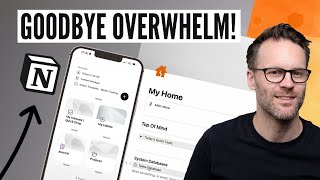
Get Organised In Notion Fast! My Quick-Start Guide 2025
Welcome to My Notion Quick Start Guide: My answer to the overcoming the overwhelm of getting started that will help you get organised in Notion Fast! These simple tips can fast track the initial learning curve, and harness the power of Notion to organise you life more easily! 📣 Use code SIMPLIFIED25 to get 25% off my latest Simplified Life OS Notion template for 2025 at https://www.bettercreating.com/simplifiednotion today 🎉 & watch a full Life OS tour video next here: https://youtu.be/E9Vu07xaZEI 📣 Get Notion for free here, https://affiliate.notion.so/bettercreating & grab my free Notion Tasks Template here https://www.bettercreating.com/taskmanager & check out my Essential Template collection here: https://www.bettercreating.com/notionessentials 🎬 WATCH NEXT: Tour My Simplified Notion Life OS System: https://youtu.be/vby0FjH1ob0 Watch The Full Tasks & Projects Video Mentioned here: https://youtu.be/AgJpwe-5-M0 Watch My Top Productivity 101 Tips here: https://youtu.be/VCBEmjJXnWw ➜ FOLLOW ME: 🖥️ Get My Notion Templates: https://bettercreating.com/downloads ☑️ Get my iOS, iPad & Notion Icon Packs: https://www.bettercreating.com/iosdesignpack 📨 Sign Up To my occasional newsletter on productivity & creative life: https://dashboard.mailerlite.com/forms/294640/77586810960610928/share 📸 Instagram - https://instagram.com/bettercreating 🐦 Twitter - https://twitter.com/bettercreating1 🌍 https://www.bettercreating.com 💻 MY FAVOURITE TOOLS: Shortform: https://shortform.com/bettercreating Orbitkey Desk Gear & EDC: (Use BETTER10 for 10%) https://www.orbitkey.com/?rfsn=6849267.d7f1c96&utm_source=refersion&utm_medium=affiliate&utm_campaign=6849267.d7f1c96 🎥 VIDEO CHAPTERS: 00:00 Get Organised In Notion Fast: My 2024 Quick Start Guide! 01:09 The Basics: Getting Started In Notion 05: 02 Notion Databases & Build Basics 11:02 The Power of Notion Database Relations 15:53 Customising Free & Public Notion Templates 18:20 Your Next Steps for Your 2024 Notion Setup 👋 BETTER CREATING Hi, I'm Simon and I'm collecting great ideas, tools and tech to help you live your best productive and creative life: On this channel you'll find all things Notion, well designed productive tech, & great ideas on business & self development. Other than doing this, I work as a freelance creative in theatre and film and love motorcycles, coffee and minimalist design. #Notion #tutorial #BetterCreating -- As either a direct affiliate or Amazon Associate I get a small commission on the product links above at no cost to you! So thanks in advance!
Notion Q&A Erfahrungen (0)
So bewerten Nutzerinnen und Nutzer Notion Q&A:
Noch keine Bewertungen
Sei der Erste, der dieses Tool bewertet!
Häufig gestellte Fragen zu Notion Q&A
Die wichtigsten Fragen und Antworten zu Notion Q&A auf einen Blick: