
LiveSession
Session Recordings, Heatmaps und Funnels für SaaS und E-Commerce mit DSGVO-konformem EU-Hosting auf AWS Frankfurt.
Was ist LiveSession?
LiveSession ist eine DSGVO-konforme Session-Recording- und Analyseplattform aus Wroclaw, Polen, die SaaS-Teams und E-Commerce-Unternehmen dabei hilft, das Nutzerverhalten besser zu verstehen. Die Software kombiniert Session Recordings, Click- und Scroll-Heatmaps sowie Conversion-Funnels in einer Plattform. Entwickler profitieren von Rage-Click- und Dead-Click-Erkennung sowie Console-Log-Tracking. Daten werden auf AWS Frankfurt (EU) gespeichert, was den Anforderungen der DSGVO genuegt. Mit über 5.000 Kunden, darunter Tidio und Brand24, hat sich LiveSession als Privacy-First-Lösung für europaeische Unternehmen etabliert. Die REST-API sowie native Integrationen für Slack, HubSpot, Salesforce, Segment und Mixpanel ermoglichen eine flexible Einbindung in bestehende Stacks.
Quick Info
Tags
Für wen ist LiveSession geeignet?
LiveSession ist geeignet für:
Wichtigste Funktionen von LiveSession
Die wichtigsten Funktionen von LiveSession sind:
Session Recordings
Click-Heatmaps
Scroll-Heatmaps
Move-Heatmaps
Conversion Funnels
Custom Events und Properties
Rage-Click-Erkennung
Dead-Click-Erkennung
DSGVO-konformes Privacy-First Recording
Console-Log-Tracking
Netzwerk-Monitoring
Segment-Builder
REST API
Slack-Alerts und Webhooks
Benutzeridentifikation
Mobile-optimiertes Dashboard
Was sind Vorteile und Nachteile von LiveSession?
Hier sind die wichtigsten Vor- und Nachteile von LiveSession im Überblick:
Vorteile
Nachteile
LiveSession-Preise und Kosten
Die aktuellen Preispläne und Kosten von LiveSession sind:
Free
Kostenloser Einstiegsplan mit 1.000 Sessions pro Monat und Kernfunktionen wie Session Replay, Heatmaps und Funnels.
- 1.000 Sessions pro Monat
- 3 Teammitglieder
- 2 Projekte
- Session Recordings
- Heatmaps
- Funnels
- Filter und Segmente
Starter
Starter-Plan für kleine Teams mit 5.000 Sessions pro Monat bei jaehrlicher Abrechnung ab $69/Monat.
- 5.000 Sessions pro Monat
- Unbegrenzte Teammitglieder
- Unbegrenzte Projekte
- Alle Free-Funktionen
- Segment-Benachrichtigungen
- Session-Freigabe
- 1 Monat Datenspeicherung
Pro
BeliebtPro-Plan mit 20.000 Sessions pro Monat, erweiterten Analyse- und Entwicklerfunktionen ab $129/Monat jaehrlich.
- 20.000 Sessions pro Monat
- Unbegrenzte Teammitglieder
- Unbegrenzte Dashboards und Metriken
- Unbegrenzte Funnels
- Entwickler-Tools
- Slack Alerts
- Benutzeridentifikation
- Benutzerdefinierte Events
- 3 Monate Datenspeicherung
Enterprise
Enterprise-Plan mit individueller Session-Anzahl, erweiterten Datenschutz-Optionen und dediziertem Support auf Anfrage.
- Individuelle Session-Anzahl
- Benutzerdefinierte Datenspeicherung bis 12 Monate
- 50 Custom Properties
- Prioritaetssupport
- Produktschulung
- Individuelle Verträge
LiveSession Videos
Folgende Videos helfen dir beim schnellen Einstieg in LiveSession:

How to Present a MIND-BLOWING Software Demo That Closes Sales
You’ve done your sales discovery; now it’s time for the product demonstration. In this episode of Sales Stuff Explained, we share everything you need to know about how to prepare for and execute the perfect sales presentation & SaaS demo. We'll discuss the importance of creating a slide deck that will highlight the key features of your product, and we'll discuss how to present your software in a way that is both engaging and effective. If you're looking to close more sales and achieve success in your software sales career, then this video is for you! We'll teach you the techniques needed to create a memorable demo that will leave your customers wanting more. Watch and learn - your sales presentation will never be the same! Demos or demonstrations are often used to present the Features and capabilities of a software offering (SaaS). Most tech demos are done online via a conferencing app like Zoom. Always ask for the sale. Learn more in our full guide ➡️ https://bit.ly/3Re2DPY Key Insights: 1. 📊 To sell software effectively, conduct a discovery process, research attendees, create a recap slide, and customize the demo to generate excitement and interest. Demos should only be done after conducting a discovery process to understand the customer's needs and should focus on showing the product to generate excitement and interest. 2. 💡 Use the language that the buyer understands, including key customers and industry figures, rehearse mouse movements, and focus on presenting with the best tone and asking the right questions. 3. 👉 Before starting a software demo, eliminate distractions, engage attendees with interesting facts, and establish expertise and ownership in the first two minutes. 4. 👉 Assume your buyer is unprepared and doesn't know what they need, so start the demo with agenda-setting that confirms the time, participants, and their concerns, and use this opportunity to do more discovery. 5. 📝 Guide the conversation by demonstrating knowledge and addressing concerns to build confidence and engagement, creating a compelling story that addresses the customer's emotional pain, tying features to clear outcomes, and constantly checking in with the buyer during the software demo. Focus on creating a compelling story that addresses the emotional pain of the customer, tying features to clear outcomes, and constantly checking in with the buyer to understand what they care about during the software demo. 6. 🎯 Use excitement and boldness in your voice during a software demo to capture attention, and pause to ask questions if the audience starts drifting off. To keep your audience engaged during a software demo, pause and ask them a question to bring their attention back if they start drifting off. 7. 💡 Don't waste time on uninterested buyers; grab their attention and have a copilot during demos to increase credibility and effectiveness. 8. 💡 The key to a successful software demo is to ask about the next steps, send a recap email with new information, and keep stakeholders engaged. Featuring (in order of appearance): Belal Batrawy, Head of GTM at GTM Buddy https://www.linkedin.com/in/belbatrawy/ Will Aitken, Head Sales Evangelist at Sales Feed https://www.linkedin.com/in/justwillaitken/ Morgan Sergio, Team Lead, Mid-Market Accounts at Twilio https://www.linkedin.com/in/morgangillespie/ #productdemo #salespresentation #b2bsales 🔔 Subscribe to Sales Feed now! https://bit.ly/3O9kZO7 0:00 Intro 0:38 The Prep: Review and refresh 1:03 The Prep: Reach out to new stakeholders 1:25 The Prep: Create a recap slide 1:53 The Prep: Customize your demo 2:48 The Prep: Practice your demo 3:07 The Call: Prep your environment 3:43 The Call: Build rapport 4:32 The Call: Confirm the agenda 5:36 The Call: Do the demo 6:36 The Call: Pressure-test 6:46 The Call: Emphasize important moments 7:09 The Call: “Magic moments” 8:57 The Call: Demo with video and in pairs 9:22 The Call: Set next steps 9:53 After the Call: Send a recap email -------------------------------- ABOUT SALES FEED -------------------------------- Sales Feed is a media network for a new generation of sellers, brought to you by Vidyard. We know that B2B selling is a tough gig. It’s highly competitive, mentally exhausting, and what works today may not work tomorrow. We’re here to help with fresh perspectives, timely insights, and comic relief to help sellers stay sane and get ahead. Sign up for our newsletter to get it all direct to your inbox! http://bit.ly/3j2gR7A And if you’re not yet sending video messages to your customers, sign up for Vidyard for FREE at: https://bit.ly/3kMRa8J -------------------------------- FOLLOW US -------------------------------- ▶️ LinkedIn https://www.linkedin.com/company/sales-feed-media/ ▶️ Instagram https://www.instagram.com/sales_feed ▶️ Tiktok https://www.tiktok.com/@salesfeed ▶️ Twitter https://twitter.com/sales_feed

Tested Pocket Option STRATEGY on a PHONE ! Crazy result on Binary Options!
- 💸FREE SIGNALS in my Telegram: 👉 https://t.me/TedOfTrading Platform: https://bit.ly/pockketoptions Promocode 50%: YGK060 Live Trading On Pocket Option Live Trading Pocket Option Live Pocket Option Strategy Live Pocket Option Trading Live Pocket Option Trading Strategy Pocket Option Signals Pocket Option Bot Pocket Option Signals Bot Timecodes: 00:00 - intro ❗️VERY IMPORTANT = Attention, by clicking on the links and watching this video, you agree to the rules: Binary options trading is a big financial risk that can result in losing your money. Before you start trading, study the laws and regulations of your country and region. In some countries it may be considered financial gambling or prohibited. You agree to this and comply with the laws of your country. You may not be allowed to use PocketOption or other binary brokers if the laws of your country do not allow you to do so. Additionally, according to CFTC rules, US traders must not trade binary options. In some countries, binary options are banned or recognized as a "financial game". #pocketoption #pocketoptionstrategy #quotex
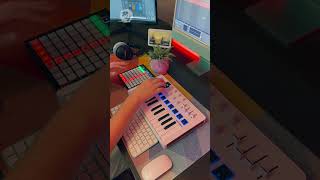
Billie Jean - Michael Jackson // Live Looping (Arturia MiniLab 3, Novation Launchpad & Ableton)
A live looping synth cover of 'Billie Jean' by Michael Jackson. Subscribe for more covers like this! My gear: 🎹 Arturia MiniLab 3: https://amzn.to/3VfGj8F 🎹 Novation Launchpad Mini (MK3): https://amzn.to/3oqQ4oI 🎧 Beyerdynamic DT 770 Pro: https://amzn.to/3C6NF5s 🖥️ iMac M1: https://amzn.to/3Ljpx43 🖥️ Samsung Odyssey G5: https://amzn.to/3Ca68OK 🎛️ NI Komplete Audio 6: https://amzn.to/422mSCE Links above are affiliate links - which means I receive a percentage of the revenue made from purchasing products through this link. This does not affect you as the consumer or the price of the product. It is also not a paid for promotion or a collaboration/advert with the brands featured. I am not under any obligation to post these links and I only recommend these products because I use them daily.
Welche LiveSession-Integrationen gibt es?
Diese Integrationen stehen für LiveSession zur Verfügung:
Crisp
CRM
Send LiveSession recordings to your Crisp account. Crisp is a comprehensive customer service app with live chat, chatbot, shared inbox, knowledge base, and CRM features.
Dashly
Customer support
Add session replays as events in Dashly to improve customer support.
User.com
Customer support
Access LiveSession recordings from User.com conversations for better customer insights.
Mixpanel
Analytics
Find LiveSession recordings in event properties in Mixpanel for enhanced analytics.
Heap
Analytics
Add LiveSession recording links to Heap events to enrich analytics data.
Shopify
eCommerce
See how users interact with your Shopify store by integrating LiveSession.
Slack
Customer support
Send LiveSession alerts to Slack channels to improve team communication.
Zendesk
Customer support
Add LiveSession recordings to your Zendesk tickets for better customer support.
LiveChat
Customer support
Send LiveSession recordings to your LiveChat account to enhance chat support.
Intercom
Customer support
Support your users faster by seeing precisely what they see with LiveSession recordings in Intercom.
GTM (Google Tag Manager)
Analytics
Add LiveSession tracking code as a tag in Google Tag Manager for easy deployment.
Segment
Analytics
Use LiveSession recordings as events in Segment to unify analytics data.
Sentry
Development
Add LiveSession recordings to issues in Sentry for better error tracking.
Survicate
Surveys
Connect session recording links to Survicate respondent profiles for survey context.
Bugsnag
Development
Add LiveSession recordings to issue events in Bugsnag for enhanced debugging.
Wordpress
CMS
Add a tracking code to your Wordpress website to enable LiveSession recordings.
BigCommerce
eCommerce
Connect LiveSession to your BigCommerce website to monitor user interactions.
Wix
CMS
Track users on your Wix website using LiveSession integration.
Help Scout
Customer support
Add LiveSession recordings to Help Scout tickets for improved customer support.
Drift
Customer support
Add LiveSession recordings to Drift contact pages to enhance communication.
Errorception
Development
Access LiveSession recordings directly from Errorception for error monitoring.
Olark
Customer support
Add LiveSession recordings to Olark to improve live chat support.
Gatsby
CMS
Install LiveSession as a Gatsby plugin to track user sessions.
Google Analytics
Analytics
Use LiveSession recordings as events in Google Analytics for enhanced data.
Zapier
Development
Build automation workflows with LiveSession data passed through Zapier.
LiveSession Erfahrungen (0)
So bewerten Nutzerinnen und Nutzer LiveSession:
Noch keine Bewertungen
Sei der Erste, der dieses Tool bewertet!
Häufig gestellte Fragen zu LiveSession
Die wichtigsten Fragen und Antworten zu LiveSession auf einen Blick: